AI Stat Technologies

Analytic Tool With Optional AI On A Mobile Device
Detailed point by point analytics using a mobile device to annotate points into actionable insights, for improving player performance.
1. Set Up Match
Fill in all pertinent required data for the match and begin tracking points in real-time using a mobile device.

4. Notes
Allows entry of notes at any time during the match.

7. View Match History
Shows all completed matches. View Match Stats, Points Log, Graph, and AI Analysis.


10. Match Stats
View all the vital statistics for each set that coaches look for.

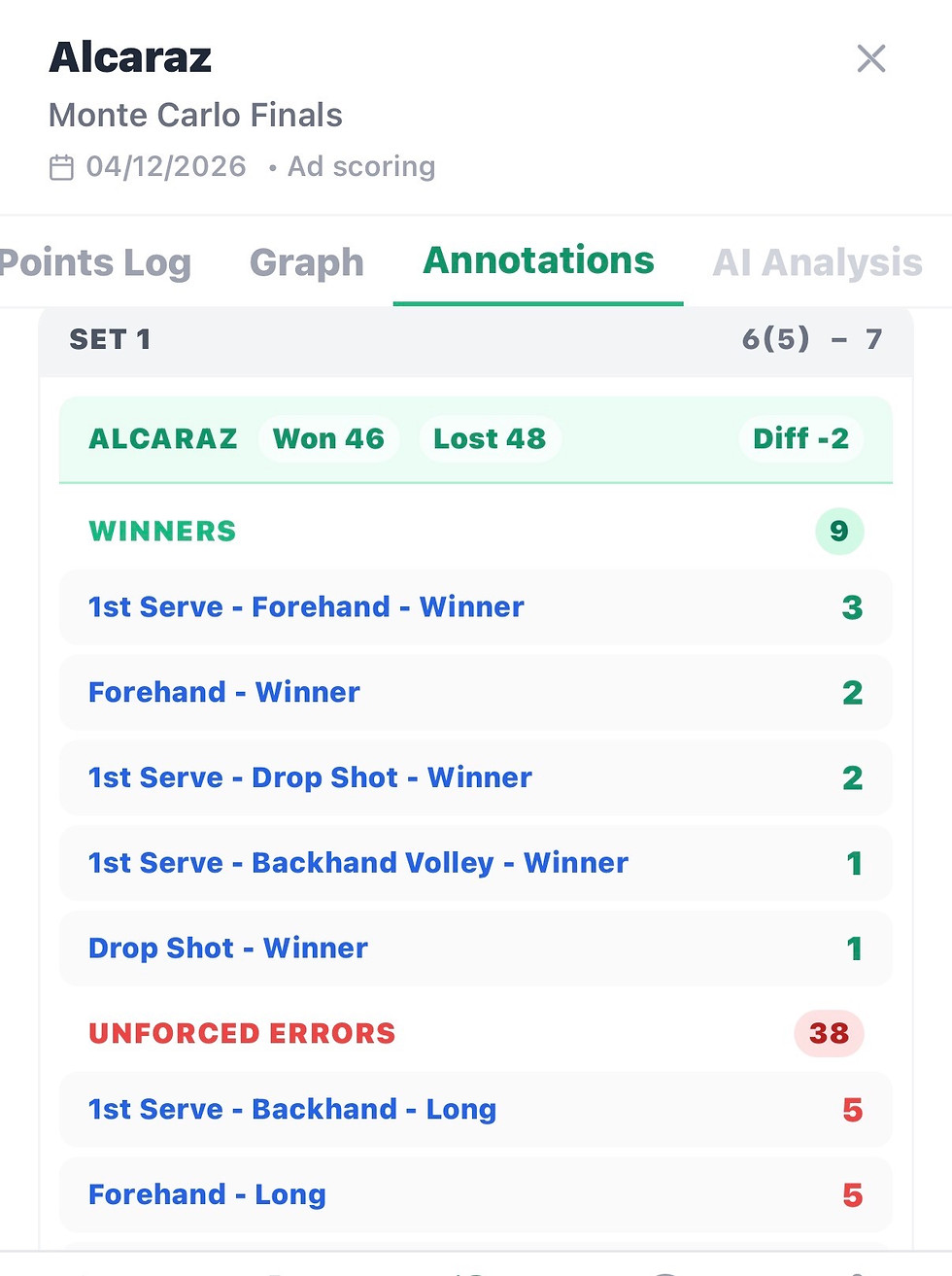
13. Annotations
View tally for each point won or lost. Point grouped by Winners and Unforced Errors for Player and Opponent.
2. Track Points
Select Lost or Won from the perspective of the Player being tracked. Annotate the point using standardized abbreviations. The score and graph will update automatically with selected point annotations. First serve % is also tracked.

5. Real Time AI Coach
AI Coach will give tactical analysis for the Player based on each point won or lost. Requires activation of your own AI provider (ChatGPT, Claude or Gemini) account to enable detailed match analysis.

8. Export History
Allows export of history file of a Player and share match results with other users who use Tennis Stat Tracker.


11. Points Log
View each point won or lost by Player with annotation for each point. Annotation is optional, if used will be displayed here.

14. AI Analysis
Gives detailed summary of Player and Opponent, as well as suggested Player weekly practice session based on analysis of match result. Requires activation of your own AI subscription account to enable AI analysis.

3. Save Match
Allows saving a match in progress so match can be resumed at a later time. Go to Load Match on home screen to resume a saved match.


6. Load Match
Loads a saved match and resume tracking.

9. Import History
Allows import of history file of a Player to your mobile device and get match results from other users who use Tennis Stat Tracker.


12. Graph
View detailed graph for each set played. Download the images to the device to get a detailed zoom of the image. If annotations used, graph has annotation for each point.

15. AI Models
To use AI features, you can connect your ChatGTP , Claude or Gemini account to the application to enable AI Coach or AI Analysis. You only pay AI fees to your provider, we do not charge a fee to use AI capabilities in our application.

Common Questions
What is the cost?
Subscription plan is $9.99 monthly at App Store or Google Play. No long-term commitment, cancel anytime. Cancel subscription using App Store or Google Play. To use AI features you can connect your ChatGPT, Claude or Gemini subscription to Tennis Stat Tracker and use AI Coach and AI Analysis features of the app. You only pay AI fees to your AI subscriber. We do not charge any fee for AI capabilities.
Who are users of the app?
The app works for many types of players and matches. The app has been field-tested for pro and high-level coaches (ATP, WTA), D1 colleges, high school, juniors and clinics. Casual players can ask a volunteer to track who wins each point using the simple Points Only mode. If your match doesn’t fit a standard format, you can choose Other and still track it.
How does the AI tracking work in real-time?
App instantly updates scores, creates a performance graph, based on won or lost points. The app can connect your ChatGPT, Claude or Gemini subscriptions to process annotations and match flow for detailed AI analysis. You only pay subscription fee to your AI provider, we do not charge you for optional use of AI capabilities.
What does it mean to annotate a point?
Annotations are optional. If you use annotations, AI can make more precise analysis and recommendations. Using annotations is easy because after each won/lost point, the user can select the annotations. Abbreviations are used when picking annotations but full description of annotations appear on all analysis and reports. You can combine up to 5 annotations for a point. For example, an annotation BAC SLI LON UE would translate to Backhand-Slice-Long-Unforced Error. You do not have to memorize annotations. On the score tracking screen, there is a table cheat-sheet for all 23 annotations.
Can coaches share data of their players?
Yes. Our Export/Import History feature allows coaches to share detailed match results/analysis (PDF or JSON) with other users who own Tennis Stat Tracker, ensuring everyone is aligned on the improvement plan for a player.
Does it require a constant internet connection?
Tennis Stat Tracker initial login requires an internet connection to validate the user and after successful login does not require an internet connection. If you choose to use AI features, the AI providers will require an internet connection to use AI for match analysis. Use of AI is optional for our applicatioon.
What kind of drills can I create with the AI Analysis?
Through use of your own AI provider subscription, AI Analysis generates a suggested weekly practice session based on match results. It targets weaknesses and strengths identified during match play that a user tracked using point annotations, such as specific ground strokes, volleys, service returns, consistency, etc.
Are all my data private?
AI Stat Technologies respects your data privacy and you own your data. We do not keep or track your private data. All your data is saved locally to your mobile device. When you connect your AI provider account to enable AI, the provicer may or may not be tracking your data.
Get in Touch
Have questions about our AI-driven performance statistics? Reach out to our team in Saint Louis, Missouri.